Extra attributes
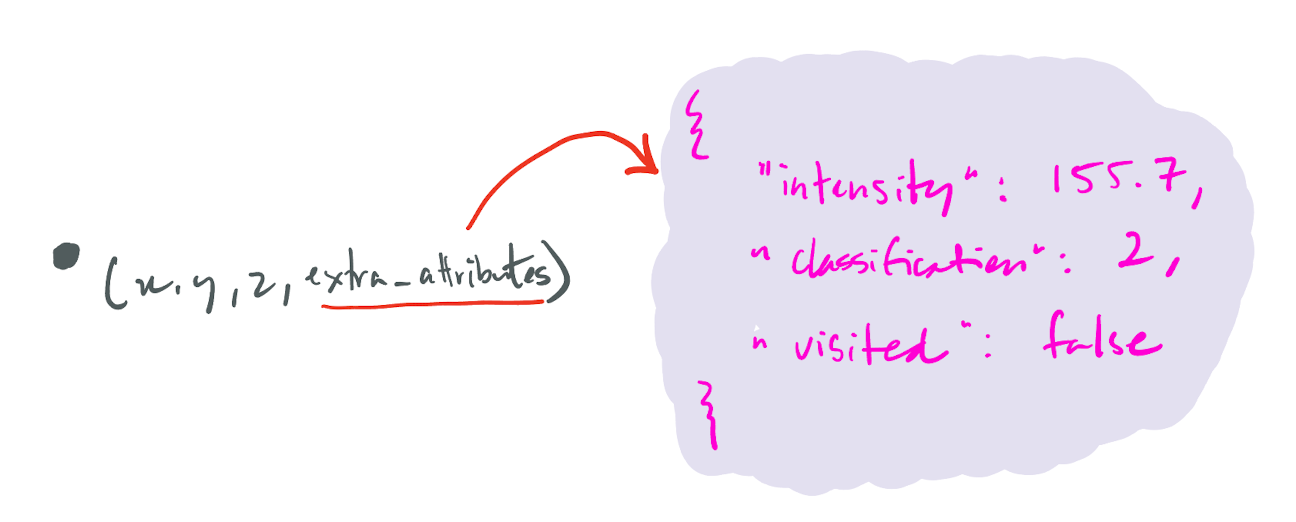
Attaching extra attributes
It is possible to store extra attributes with each vertex (besides the xyz-coordinates).
Those attributes are stored as a JSON object/dictionary, a key-value pair where the key is a string and the value is one of the following NumPy data types: numpy.bool_, numpy.int32, numpy.int64, numpy.uint32, numpy.uint64, unicode (string), numpy.float32, numpy.float64.
To attach extra attributes, you first need to define a schema, it a list of the attribute names and their data types. NumPy data types must be used to create the schema.
dt = startinpy.DT()
myschema = np.dtype([('classification', np.uint32), ('intensity', float)])
dt.set_attributes_schema(myschema)
or
dt = startinpy.DT(np.dtype([('classification', np.uint32), ('intensity', float)]))
Adding attributes to a triangulation that has no schema defined will result in no extra attributes being stored; only those compliant with the schema are stored.
Attributes can be attached while adding new points with the function insert_one_pt() using extra parameters:
dt.insert_one_pt([85000.0, 444003.2, 2.2], classification=2, intensity=111.1)
Alternatively, you can attach attributes with the vertex index:
(vi, bNewVertex, bZUpdated) = dt.insert_one_pt([85000.0, 444003.2, 2.2])
dt.set_vertex_attributes(vi, classification=2, intensity=111.1)
Retrieving the extra attributes
It is possible to obtain the attributes attached to a single vertex as a JSON object, eg for the vertex with ID 50:
a = dt.get_vertex_attributes(50)
print("=>", a)
Notice that the vertices can have different attributes attached to them; some can have attributes, and some do not.
You obtain the schema of the triangulation with get_attributes_schema():
dt.get_attributes_schema()
To retrieve the extra attributes for all the vertices, use the property attributes.
It returns all the values as a NumPy structured array.
Watch out, if a given vertex doesn’t have a specific attribute then np.nan is inserted
for f64, max-values for i64 and u64, “” for String, 0 for bool.
dt = startinpy.DT()
dt.add_attribute_map(np.dtype([("classification", np.uint32)]))
dt.insert_one_pt([85000.0, 444003.2, 2.2], classification=6)
...
dt.attributes[1:]['classification']
#-- array([6, 2, 6, 6, ..., 6, 9])
One full Python example
import startinpy
import numpy as np
import json
import laspy

las = laspy.read("../data/small.laz")
#-- read intensity and store it as extra_attribute in the startinpy DT
d = np.vstack((las.x, las.y, las.z, las.classification)).transpose()
d = d[::1] #-- thinning to speed up, put ::1 to keep all the points

print(d)

dt = startinpy.DT(np.dtype([("classification", np.uint64)]))
for each in d:
    dt.insert_one_pt(each[:3], classification=int(each[3]))

dt.set_vertex_attributes(50, classification=int(112.2))

print(dt)
print(dt.get_attributes_schema())
print(dt.attributes[1:]['classification'])

a = dt.get_vertex_attributes(50)
print("=>", a)
a = dt.get_vertex_attributes(49)
print("=>", a)